


Showing posts with label BCA. Show all posts
Showing posts with label BCA. Show all posts
Thursday, October 25, 2018

KIT PROMO TEAM
Pink Girl Power by Andy Cooper
Matching kit by Lysira's Graphic World
GIRL POWER WORDART

Download HERE
Sunday, October 21, 2018

KIT PROMO TEAM
Pink Fight by Andy Cooper
Pink Fight Kit by Kizzed by Kelz
Pink Fight tube & Kit
TEMPLATE 863

You can download HERE
Saturday, October 13, 2018

***HELP 4 CASPER***
Help for Casper is a fundraiser to help a young mother fighting for her life against Cancer.
All money raised goes to help her pay for costly Cancer treatments.
Tag featuring Celine Angelic Elegance
I used matching kit by Luscious Ladee
Template 860

You can download it HERE
PLEASE TAKE A MOMENT TO VISIT THE BREAST CANCER SITE AND HELP THOSE IN NEED GET MAMMOGRAMS. EACH AND EVERY CLICK HELPS THE FUNDING FOR THESE MAMMOGRAMS AND IS EXTREMELY IMPORTANT FOR EARLY DETECTION! SPREAD THE LOVE AND SHOW YOUR SUPPORT BY MAKING THAT CLICK TODAY AND EVERYDAY AFTER THAT. IT'S FREE AND ONLY TAKES A BRIEF MOMENT AND YOU ARE HELPING SAVE LIVES!
Sunday, October 19, 2014
Tuesday, October 14, 2014


Tuesday, October 29, 2013

This tag was made with BB BCA tube (special layer) from Ismael Rac
*this bca layer is not available in the store*
I used BCA freebie kit by Sweet Tooth Studio
Template 402
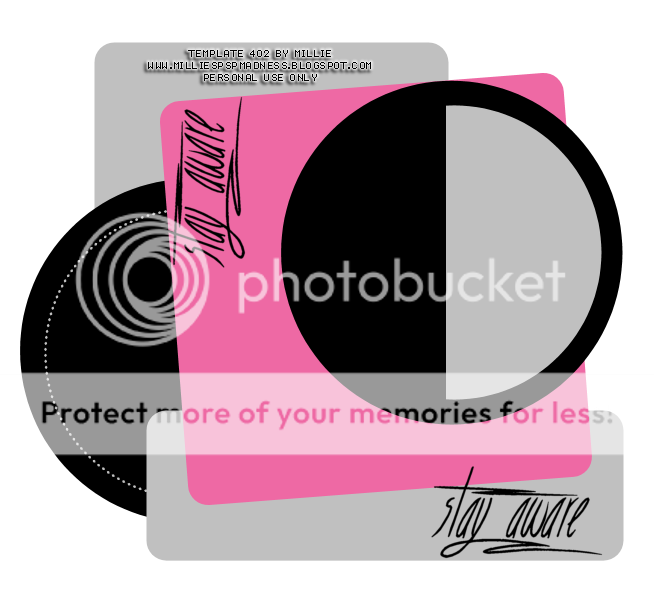
You can download it HERE

Today ONLY! All receipts store or pay pal must be dated for 10/29/2013.
This is from my own vault again lol a special layer of this tube.
Its BB BCA and its a single special layer and close up I had Rac do for me but now I share her with you Spend any amount in store and get her free just send your receipt to cs to claim.
GC not accepted as a form of payment. This tube is not in the store so this is the only way to get her

Saturday, October 26, 2013

*click on image to view full size*
FTU Love and Hope
This tutorial was written by me on October 26, 2013.
It was made out of my own creation and any similarity is purely coincidental.
I used pspx5 but any version should work without problems.
If you're doing this tutorial you must have good psp knowledge and be familiar with the tools.
Let's get started!
Artist: Luna by Tony Tzanoukakis
Scrapkit: BCA 2013 by Tasha's Playground
Mask: halftone mask 3 by Dangerously Delicious Designz
Font: Uncle Bob
*open your mask and minimize in your workspace*
File - New - 700x700 - flood fill w white
Open frame 3 - resize by 80% - c/p as new layer
Open tube c/p so face is inside frame
Click inside frame w magic wand - expand by 5 - new layer
Open pp8 - c/p into selection - move paper under tube
On tube - invert - delete - deselect
Xero - porcelain (default) hit ok
Change blend to luminance(L) - change opacity to 55
Duplicate tube layer - change blend to screen - opacity to 100
Add drop shadow to your frame
Open fasterner - place to the right
Open tube - resize to your liking - place to the right
Open sticker 2 - resize by 50% - place to the bottom right
Open wordart - resize by 50% - place to the bottom right
On background layer
Click on background with magic wand - new layer
Open paper of choice - c/p into selection
Layers - New mask layer - From Image
Find your mask in source window - hit ok
Merge group
Open tree - place to the right - duplicate - mirror - merge down
Duplicate merged layer - flip - merge down - resize by 85%
Delete background - merge visible
Add credits and name
Saturday, October 19, 2013


Monday, October 14, 2013
This tag with newly released BCA Babe by Arthur Crowe and matching kit.
You can find them both HERE
I also made a template

You can download it HERE
Sunday, October 13, 2013


Friday, October 11, 2013

Monday, October 7, 2013

*click on image to view full size*
PTU Think Pink
This tutorial was written by me on October 7, 2013.
It was made out of my own creation and any similarity is purely coincidental.
I used pspx5 but any version should work without problems.
If you're doing this tutorial you must have good psp knowledge and be familiar with the tools.
Let's get started!
Artist: Dreadlocks by Ismael Rac
Scrapkit: Thinking Pink by Niqui's Designs
Mask: From the Heart Mask 10 by Chas
Font: Fangtasia
*open your mask and minimize in your workspace*
File - New - 700x700 - flood fill w white
Open 1 - resize by 50% - place to left
duplicate - place to right - merge down
Open tube close up - place to right
duplicate - mirror - merge down
Place under the frame
Click inside frame w magic wand - expand by 5 - new layer
Open pp10 - c/p into selection - move under tube layer
On tube - invert - delete - deselect
Change blend mode of tube to screen
Open 40 - resize by 80% - place to the bottom
Open 35 - resize by 50% 2x - place to bottom and right some
Open 41 - resize by 50% 2x - place to the bottom left some
Open 42 - c/p - place to top
Open full tube - c/p as new layer
On background layer
Click on background with magic wand - new layer
Open paper8 - c/p into selection
Layers - New mask layer - From Image
Find your mask in source window - hit ok
Merge group
Open 32 - resize by 80% - place to left
Delete background - merge visible
add credits and name
Sunday, September 29, 2013


Saturday, September 28, 2013

Tuesday, October 23, 2012

This tag was made with awesome artwork of Ismael Rac.
You can find this tube and the matching kit in the Xeracx Store.
I made this tag using my template 101.

You can download it HERE
Thanks for stopping by :)
This tag was made with awesome BCA tube by Ismael Rac.
She will be soon released to his store.
I also used the matching scrapkit made by the lovely KIT team.
Remember to check out his store HERE
Here are some snags I made for you all.
Please click on the image to save full-sized.
Thanks!

Tuesday, October 16, 2012

*Click on Image to view full-size*
FTU BCA FBTL Tutorial
This tutorial was written by me on October 16, 2012.
I used PSPX2 to write it but any version should be fine.
If you are trying this tutorial then you have some PSP knowledge.
Any similarities to others is purely coincidence and definitely not intended.
Artist: Ismael Rac HERE
Template: FBTL 01 by me HERE
Font: I used American Pop Two
Plugins: xero - radiance, eyecandy - HSB noise, VM Extravaganza - Transmission, Penta - jeans
**FG is foreground, BG is background, c/p is copy and paste**
Open your template, ctrl + d to duplicate, close the original
Delete your CR layer
If you're using the same tube that I am using then make the following changes:
Make your Foreground this color #fd98b4
Make your background this color #ef5b83
If you're not using the same tube, pick two colors from your tube as your fg and bg
Change background color to gradient with these settings:
Linear - Angle 45, repeats 3
Go to background layer, selections all, new layer, flood fill with gradient
Selections - none
Open your tube close up, c/p as a new layer, move to the left and place to your liking
Duplicate close up tube, image mirror and move to the right some so its in the middle
Move duplicate under original tube layer, then duplicate it
Move the 2nd duplicate to the right of the tag to your liking
Merge all tubes together and rename tube
Still on tube layer, effects, radiance - default settings
Change blend mode to Luminance (L) and opacity to 75
Go to gradient layer, effects - texture effects - blinds w these settings;
width 2, opacity 20, color white, horizontal and light from left/top checked
Go to layer 1, add drop shadow of 0 0 50 3, change blend mode to hard light
Use your color changer tool and change the color of the lettering to fg color
Go to layer 2, click inside of it with the magic wand, new layer
Flood fill new layer with gradient, effects - penta - jeans, amount 62, width 4
Selections - none, add drop shadow
Go to layer 3, click inside of it with the magic wand, new layer
Flood fill new layer with gradient, effects - texture effects - blinds
width 2, opacity 50, color white, horizontal and light frome left/top checked
Add drop shadow, selections - none
Go to layer 4, click inside it with magic wand, new layer
Flood fill with gradient, effects - vm extravaganza - Transmission
line width 6, offset 0, contrast 40
selections - none
c/p your tube close up as a new layer, image - mirror
Move your tube inside the circle
Click inside layer 4, back to tube layer, selections - invert, delete
Selections - none
On tube, effects - xero - radiance, default settings
Go to layer 5, add drop shadow
Go to layer 6, click inside of it with your magic wand
Adjust - add noise - uniform, 100, add drop shadow
New layer, selections - modify - contract by 1, flood fill with gradient
Effects - Eye Candy - HSB Noise
Hue Variation 25
Saturation Variation 30
Brightness Variation 40
Opacity Variation 0
Lump Width 10.08
Lump Height 10.08
Pattern Smooth Lumps
Seamless tile clicked
Random seed 3955
Hit ok, selections - none
Add your credits *Remember to read TOU on FB Timelines for the artist that you use*
Add your name
Delete layer 7 - merge all (flatten)
You are done!
Thank you for trying my tutorial

I wanted to give Timeline Temps a try.
So here's one :)
I have a tutorial for this one coming up shortly.
You can download it HERE
Sunday, October 14, 2012
Sunday, October 7, 2012

Download HERE
Subscribe to:
Posts
(Atom)