


Showing posts with label Chris Pastel. Show all posts
Showing posts with label Chris Pastel. Show all posts
Saturday, April 25, 2020

**CT BELLA CARIBENA**
Mermaid's Corner Kit by Bella Caribena
Chris Pastel tube which is included in the kit.
Sunday, January 5, 2020

-CT CHRIS PASTEL AND BELLA CARIBENA-
Valentine by Chris Pastel HERE
Celebrate Valentine Kit by Bella Caribena HERE
-SNAGGABLE TIMELINE SET-

-TIMELINE-

*Click on image to save in full-size*
Do not claim as your own creation.
Do not add names to this timeline.
You can pick up the AVATARS HERE
Thanks for stopping by!!
Wednesday, October 2, 2019

-CT CHRIS PASTEL-
Sailor by Chris Pastel HERE
Sailor Kit by Tiny Turtle Designs HERE
-SNAGGABLE TIMELINE SET-
Click on banner to save in full-size.
Do not claim as your own.
Do not alter in any way.
Do not edit.
Do not add names.
Thanks for stopping by.
Click on avatar to save in full-size!
Same rules apply!


Wednesday, July 17, 2019


Friday, July 12, 2019


Sunday, July 7, 2019


Wednesday, June 12, 2019

-CT CHRIS PASTEL & BELLA CARIBENA-
Elfe 2 by Chris Pastel HERE
Elfe 2 Magic Kit by Bella Caribena HERE
-SNAGGABLE TIMELINE SET-

Click on image to save in full-size.
Do not change or alter in any way.
DO NOT ADD NAMES.
Do not claim as your own creation.
Grab avatars from HERE
Thanks for visiting my blog!
Tuesday, June 11, 2019


Tuesday, July 31, 2018

Tag featuring "Steampunk 9" by Chris Pastel
Matching kit of same name by DITR
Snags are below
Click on each one to save in full-size
Do not claim as your own creation or edit/change in any way.





Saturday, April 14, 2018

CT FOR DANCE IN THE RAIN
Tag w awesome "Clea" by Chris Pastel
Paired with matching kit of same name by Dance In The Rain
Freebie wordart
Click on image to save full-size
Png Format

Wednesday, September 17, 2014
Tutorial made using artwork Gothika by Chris Pastel
I used PTU kit Eerie Nights by Amy Marie's Kits
TUTORIAL HERE
Wednesday, September 10, 2014
Friday, August 29, 2014



Wednesday, August 27, 2014
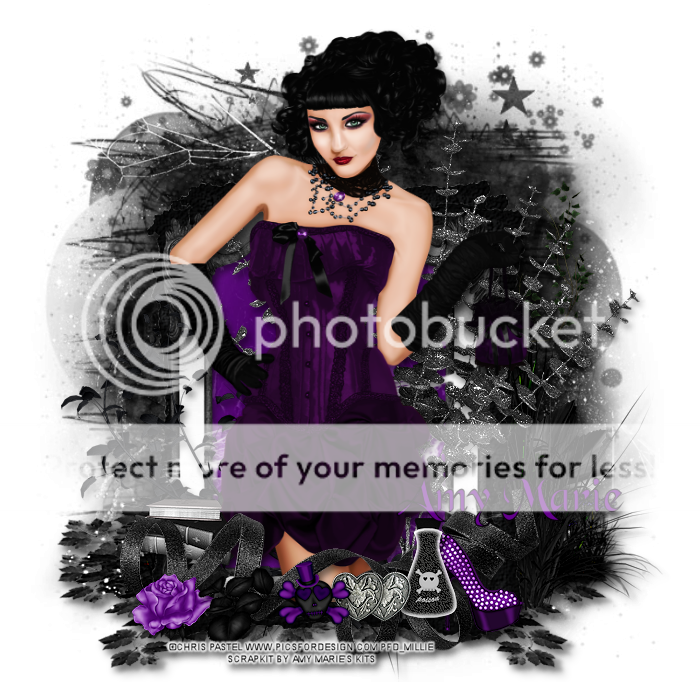
*click on image to view full size*
PTU Misteriously Elegant
This tutorial was written by me on August 27, 2014.
It was made out of my own creation and any similarity is purely coincidental.
I used pspx6 but any version should work without problems.
If you're doing this tutorial you must have good psp knowledge and be familiar with the tools.
Let's get started!
Artist: Kathleen by Chris Pastel
Scrapkit: Amanda by Amy Marie's Kits
Plugins: Xero - Radiance
Mask: Rocked by Rachel - Mask Set 10 mask 4
Font: Black Chancery
*open your mask and minimize in your workspace*
c/p = copy and paste, ds = drop shadow
File - New - 700x700 - flood fill w white
Open 21 - resize by 75% - sharpen - move down
Click inside your frame w magic wand - expand by 5 - new layer
Open paper1 - c/p into selection - deselect
Move paper under frame
Add drop shadow to the frame
Open 128 - resize by 50% - place to bottom - ds
Open 112 - place to the left - ds
Open 124 - resize by 50% 2x - sharpen - place to left - ds
Open 65 - place to the right - ds
Open tube - resize to liking - c/p as new layer
Apply Xero - Radiance - change beauty to 97 - hit ok
Add drop shadow to your tube
Open 69 - resize by 70% - place to the bottom - ds
Open 86 - resize by 50% 2x - sharpen - place to bottom left - ds
Open 85 - resize by 50% 2x - sharpen - place to bottom left - ds
Open 43 - resize by 50% 2x - sharpen - place to bottom right - ds
Open 39 - resize by 50% 2x - sharpen - place to bottom right - ds
Open 35 - resize by 50% 2x - sharpen - place to bottom - ds
Open 44 - resize by 50% 2x - sharpen - place to bottom - ds
On background layer
Click on background with magic wand - new layer
Open paper20 - c/p into selection - deselect
Layers - New mask layer - From Image
Find your mask in source window - hit ok
Merge group
Duplicate mask - change blend mode to multiply
Change opacity to 80
Open 106 - place to the bottom - ds
Open 28 - resize by 70% - move down - ds
Delete background layer - merge visible
Add credits and name
Monday, August 18, 2014

Subscribe to:
Posts
(Atom)